SuperSeller
SuperSeller Features
SuperSeller combines an ecommerce AI chat widget, voice search, multilingual support, smart recommendations, product sync, knowledge base answers, analytics, and brand customization.
A modular platform for your business
Choose the modules your business needs. Owners and admins can switch available modules on or off for each company and adjust their settings in the dashboard.
Reservations
Let customers choose from the time slots you offer and review their reservation before confirming.
Quote requests
Collect requests for bulk purchases or custom offers, ready for your team to review.
Back-in-stock alerts
Let shoppers select a product or variant and subscribe to an email alert when it returns to stock.
Each module has its own setup. Back-in-stock alerts require a connected inventory source.
See the tools you will actually use
Explore real SuperSeller screens from our own electronics demo. Switch views to see how the catalog, business information and conversations fit together.
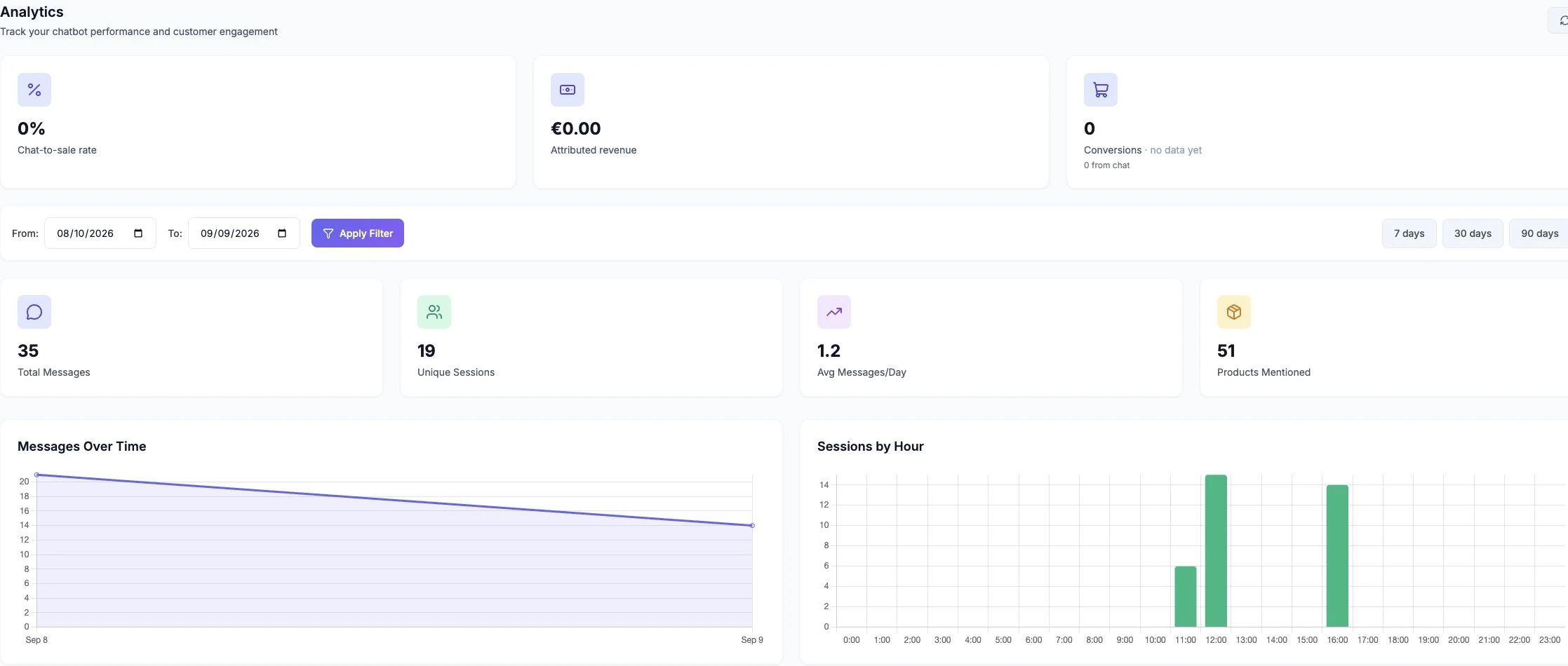
Deep Analytics
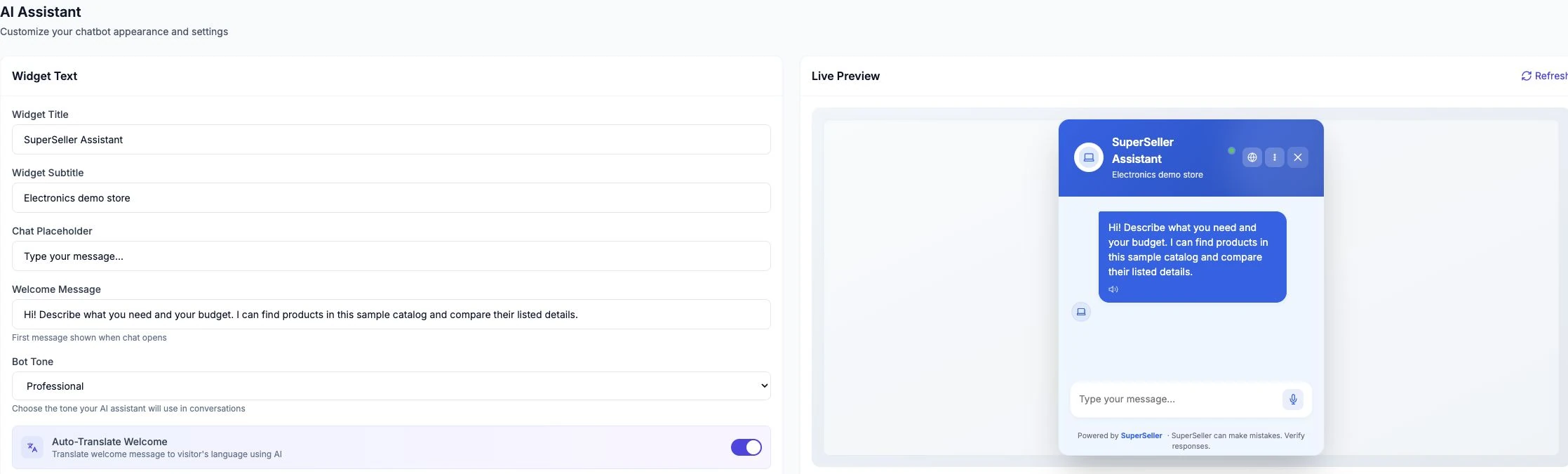
Brand Customization
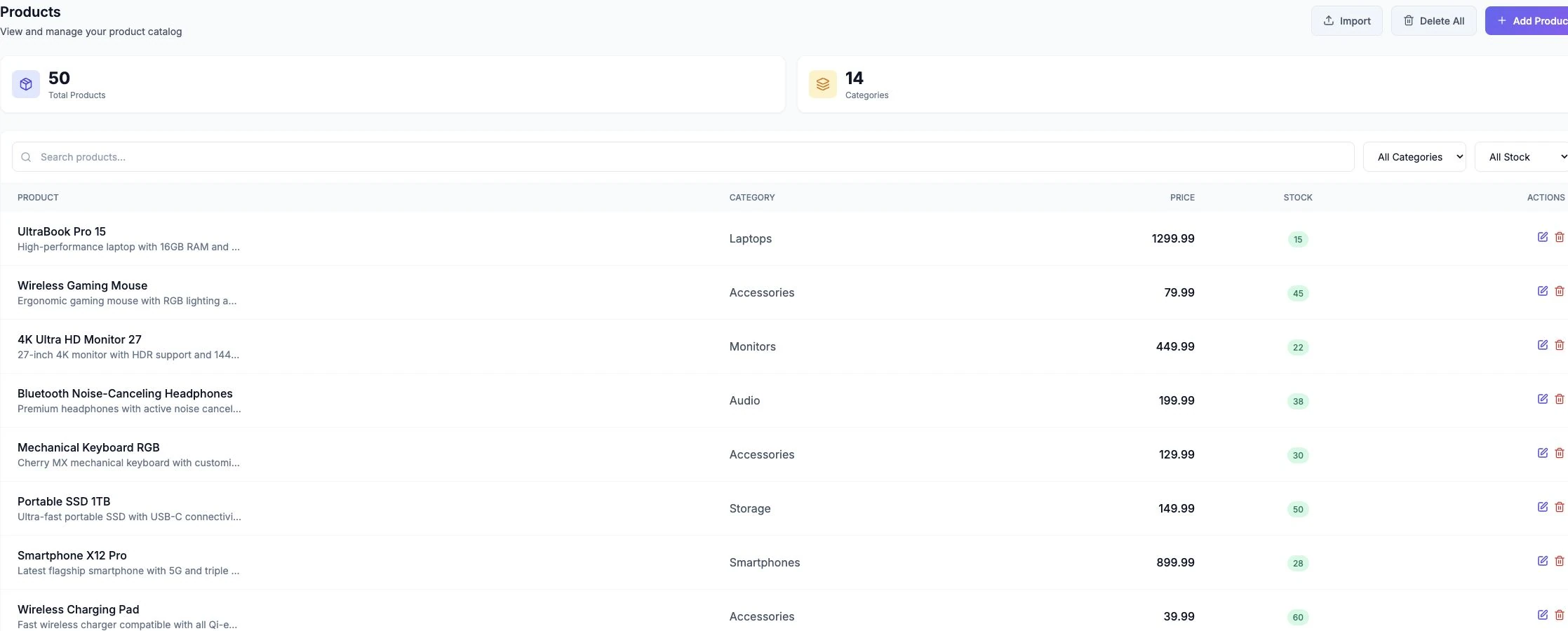
Product catalog
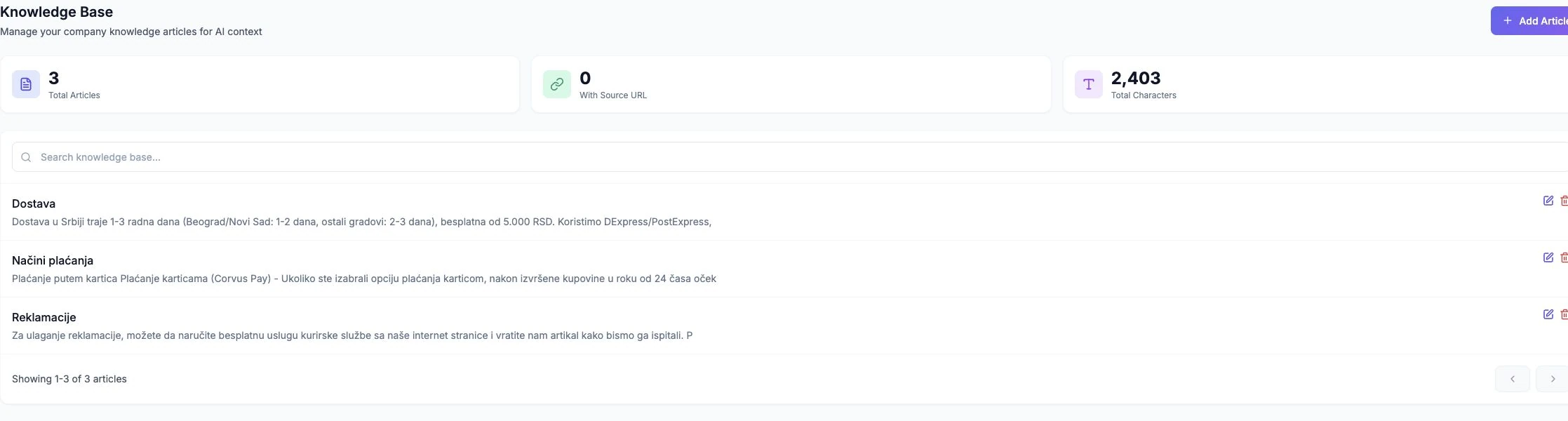
Knowledge Base
Conversations
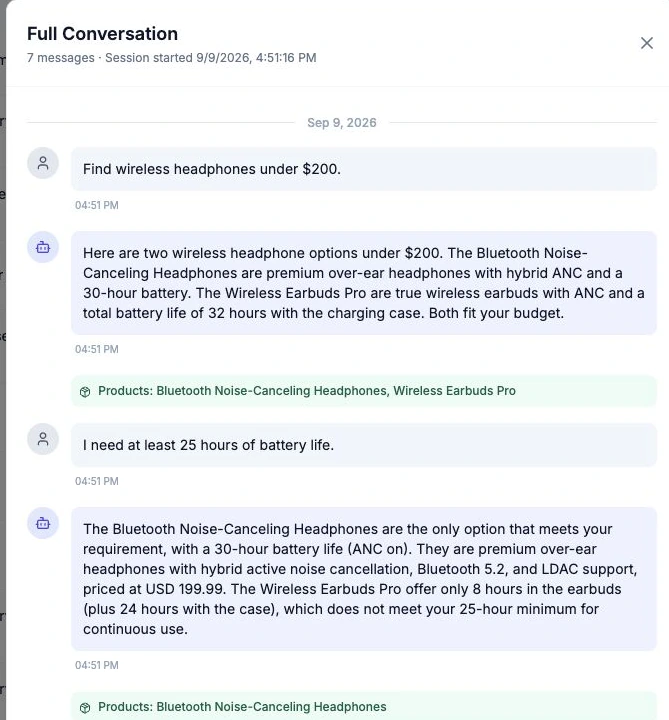
Screens captured September 9, 2026. Demo catalog and test activity; figures are not customer results or promises. Screens retain their original interface and content languages.
Voice Search
Let customers search using voice commands in their native language. Our AI understands context and natural speech patterns.
Smart AI Assistant
Use the current conversation and your store information to answer follow-up questions and suggest relevant products.
Multi-language Support
Multilingual support with automatic detection – customers get answers in their language. SuperSeller lets you expand globally, without communication barriers.
Brand Customization
Customize colors, logos, and tone of voice to match your brand identity. Make the AI feel like part of your team.
Deep Analytics
Review messages, sessions, product mentions and attributed sales where tracking data is available.
Product Sync
Import or sync your product catalog through a supported integration. Keep source data and sync schedules current for accurate answers.
24/7 Availability
Answer common questions outside your team’s working hours, subject to service availability and your plan’s usage limits.
Smart Recommendations
Suggest products based on the shopper’s request and the available catalog. Shoppers can refine their needs and verify the product details.
Easy Integration
Use the WooCommerce plugin or embed the widget on your website. Setup and catalog synchronization depend on your platform.
Privacy controls
Configure a privacy notice and consent step for your widget. Your business remains responsible for its policies and lawful data handling.
Live Human Handoff
When enabled, visitors can request a human agent. Your team can read the conversation and respond from the Inbox; offline behavior depends on your support settings.
Knowledge Base
Add company info, FAQs, policies, and more. The AI uses this to answer questions about shipping, returns, business hours, and more.
Email Notifications
Configure email notifications for support requests. Delivery depends on the recipient address and mail configuration.
Live Preview
See your changes instantly as you customize. Preview colors, text, and branding in real-time before saving.
Accessibility options
Keyboard controls, voice input and read-aloud options help visitors interact with the chat. Test accessibility in your own storefront.
Team & Multiple Agents
Invite teammates and manage their access to help handle customer conversations together. Available seats depend on your plan.