SuperSeller Blog
Shopify Product Recommendation Chatbot: Test a Real Shopper Question
A shopper asks for a beginner snowboard under $500. Here is what our demo chat returned, what it left uncertain, and how to test the same question on your own catalog.
A Shopify product recommendation chatbot gets a harder question than "Do you sell snowboards?" Shoppers describe a budget, experience level or use case. We asked the live SuperSeller demo store: "Which snowboard would you recommend for a beginner under $500?"
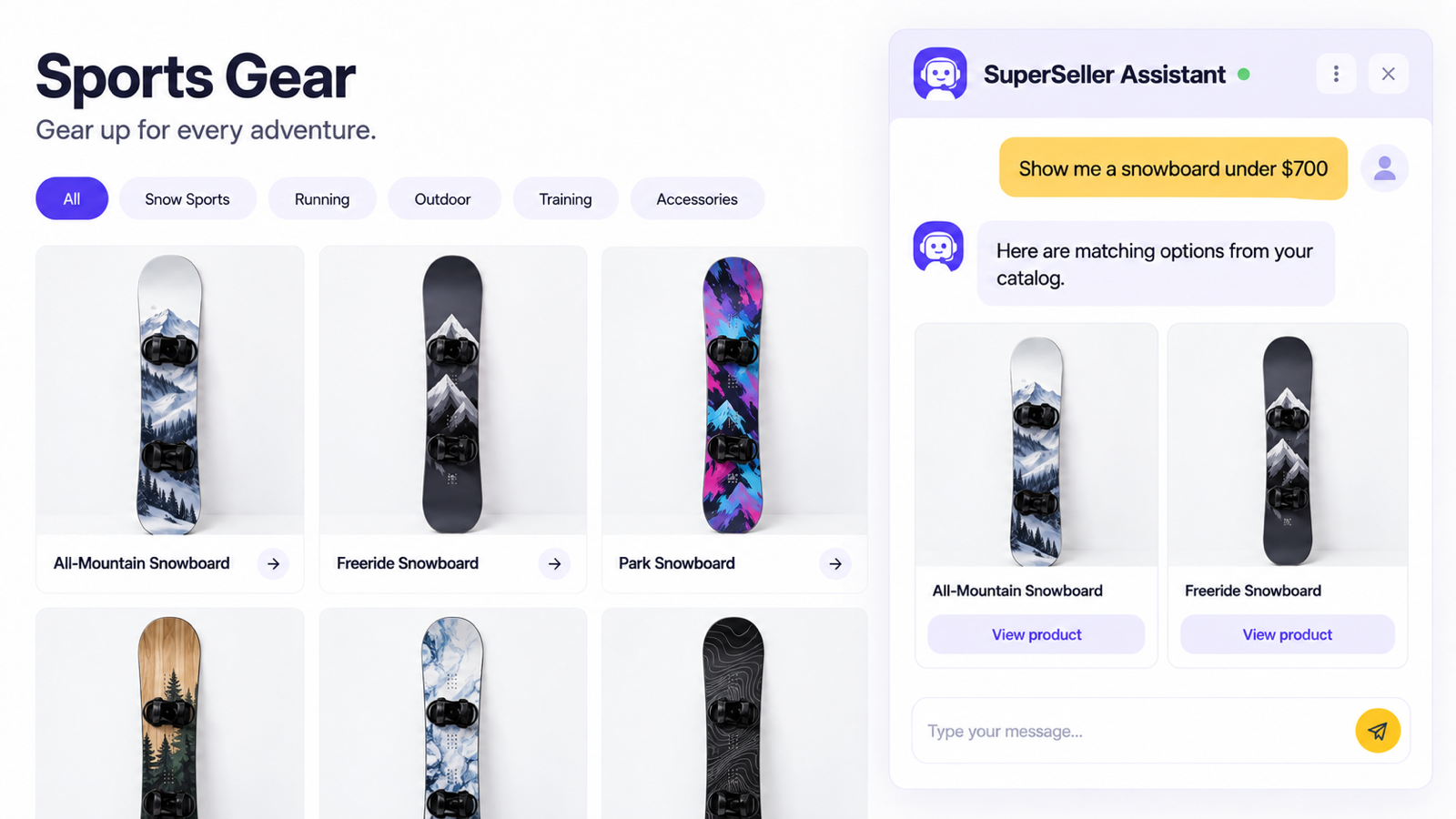
The assistant suggested Snowboard All-Mountain at $449.99, explained why it fit the beginner request, and gave a link to its product page. It also said that stock availability was not shown. That is a useful answer to inspect. It is one demo conversation, not evidence that a merchant has gained a sale or that every catalog question will work as well.
Start with a question your shoppers would actually ask
"Beginner snowboard under $500" contains two constraints. A useful recommendation needs to respect both. A keyword search for "snowboard" might return a board above the budget, bindings, wax or a product whose description never says whether it suits a new rider.
Write down five questions from your own support inbox, search logs or sales conversations. Include a budget question, one about a specific use, and one where you suspect the store has no suitable product. Run those exact questions through the chat after your catalog is connected. Do not rewrite them to make the assistant look better.
What the SuperSeller demo answered
Our Shopify demo store has a sports catalog. The storefront lists Snowboard All-Mountain at $449.99. In the chat, we asked for a beginner snowboard under $500. SuperSeller returned that product with a link to the store page and described it as a versatile all-mountain board suitable for learning. It did not claim to know stock availability when that information was absent from the answer.
The budget match is easy to verify: $449.99 is below $500. The product link is more important than a polished sentence because the shopper can open the listing and inspect the details. If the catalog contains several credible matches, compare how the assistant explains the tradeoffs. If none fit, the correct behavior is to say so rather than invent a cheaper board.
Try the demo yourself, then test your own inventory. The demo catalog is small and its products are examples. Your results depend on the product data you publish and sync.
Check the catalog before you judge the answer
A product recommendation can only be as current as the product information behind it. In SuperSeller's Shopify app, the merchant connects a company, then syncs active products published to the Online Store. The Products screen shows the sync result and recently updated items. Review prices, descriptions, variants and the links shoppers will see.
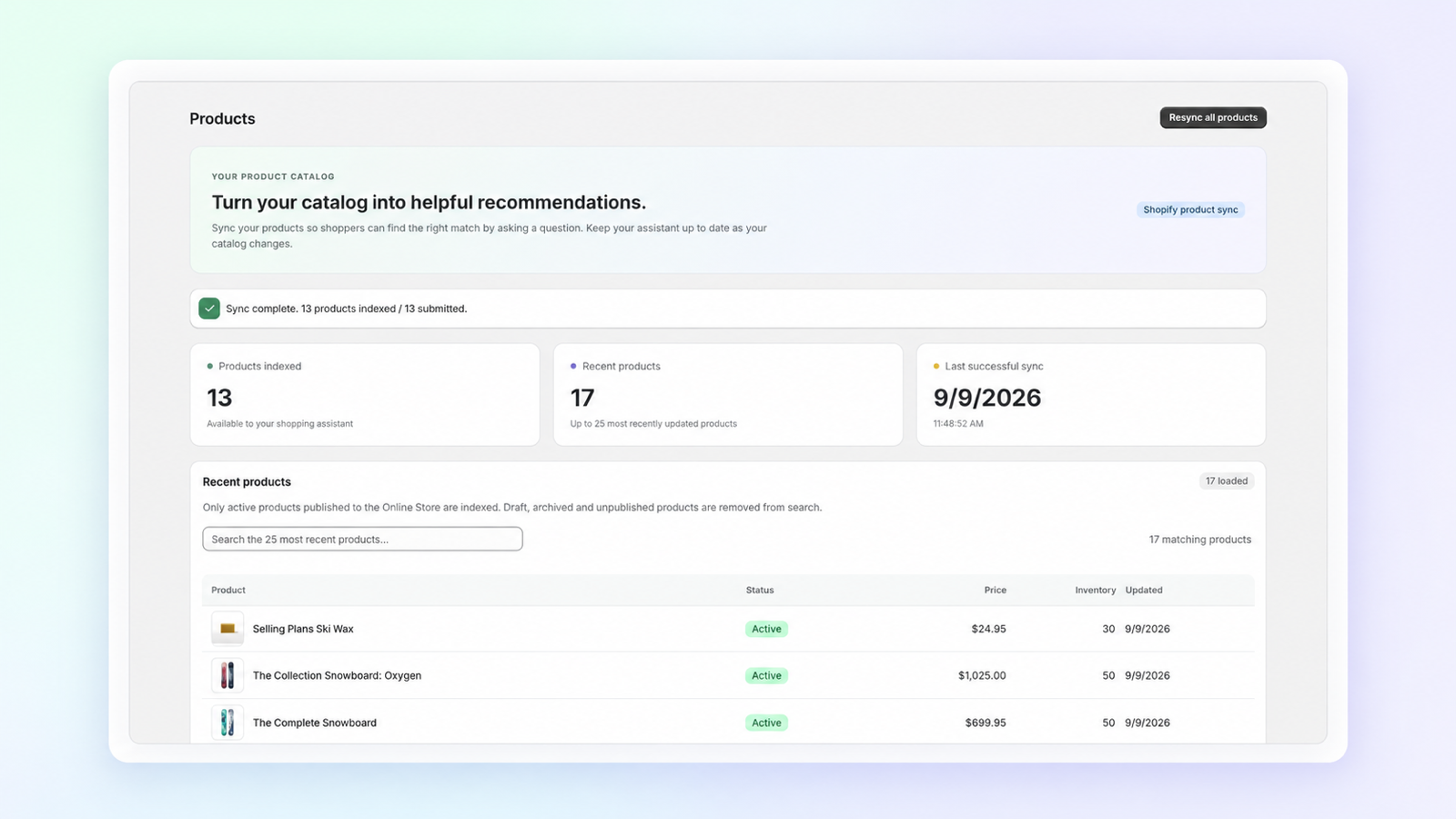
If a test answer names a product that is no longer sold, check the Shopify product's status and publication first, then sync again. If a board fits the budget but its description gives no clue about skill level, add that information to the product page. Do not expect the chat to infer facts that the merchant has not supplied.
Add store answers separately from product details
A shopper may ask about delivery or returns in the same conversation as a product recommendation. Select the store pages and business information you want the assistant to use for those questions. Check that the policy text is current and has the conditions your team would mention to a customer.
Use a separate test for policies: ask a question with an answer clearly present on the selected page, then one whose answer is missing. Read both replies against the source. A confident answer about a nonexistent return exception is worse than a short answer that asks the shopper to contact your team.
Make the Shopify chat visible only when it is ready
Installing an app and syncing products do not put a chat bubble in front of shoppers. Open the Shopify theme editor, find the SuperSeller app embed, turn it on and save. Shopify's app embed instructions show the exact theme editor flow. Preview the storefront on desktop and mobile before relying on it.
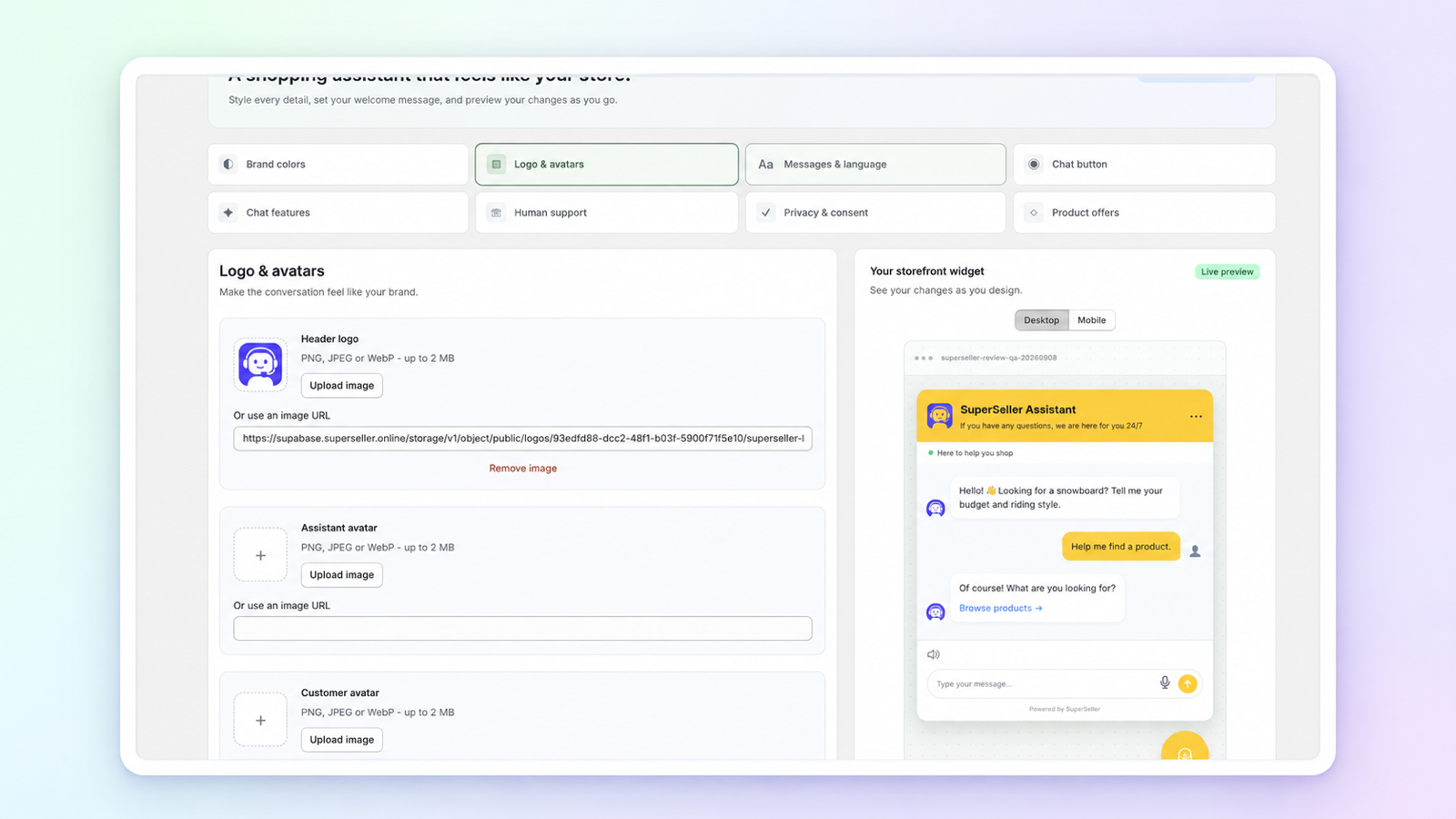
SuperSeller's Widget settings let you adjust colors, logo, greeting, language and chat features in Shopify Admin. Keep the first message plain. Tell shoppers what the assistant can help with, and make the route to a person visible for questions it cannot answer.
What to measure after launch
Count conversations that lead a shopper to a relevant product page, questions with no suitable item, and questions that need a person. Review a sample of the actual answers. A product card shown inside chat is only one step. It does not prove an add to cart or a purchase.
Start with the five questions you wrote down. Keep the original wording and repeat them after meaningful catalog or knowledge changes. That gives you a small, honest comparison over time without claiming a conversion increase from a single demo.
Common questions about Shopify product recommendation chat
Can it stay within a shopper's budget?
It can use synced prices to find a match. Verify each suggested price on the product page, including sale prices when relevant. If no product qualifies, the answer should say so.
Will it know whether an item is in stock?
Check the synced availability and the actual answer. In our demo test the assistant explicitly said availability was not shown. Do not promise stock certainty unless the storefront data supports it.
Do I need to switch on the app embed?
Yes. Enable the embed in your theme editor, save, and check the storefront. The chat can be configured before it is visible to visitors.
Can I try it without paying?
The Shopify App Store listing includes a Free plan with 30 conversations per month. Paid plans have larger limits. Read the current Shopify listing for the plan available to your store.
Ask your own five product questions in the live demo. If the answers look relevant, install SuperSeller Chat from Shopify and test the same questions against your catalog. The Shopify integration guide covers setup. Check the current plan details in the Shopify App Store.